
Organizations, Teams, and Projects
Organizations, Teams, and Projects answer two practical questions: where does an experiment belong, and who can access it?
If you use Weaver alone, the default Organization and Project are usually enough. Create more Projects or Teams when you need to separate experiments or collaborate with other people.
How They Fit Together
| You want to… | Use | What it does |
|---|---|---|
| Manage a company or research group | Organization | Groups members, Projects, and quota |
| Give the same Project access to several people | Team | Reuses one set of members across Projects |
| Group related experiments and their usage | Project | Controls access and cost attribution for Sessions |
Organization
Use the account menu in the lower-left corner of the Console to switch Organizations.
Organization members have one of two roles:
| Role | Access |
|---|---|
admin | Manage members, Teams, Projects, and Organization settings |
member | Use Projects they can access |
Team
A Team is a reusable group of members inside one Organization. Use it when the same people need access to several Projects.
Members with the Organization admin role can create Teams, add Organization members, and give Teams access to Projects. A Team does not own experiments or receive a separate bill.
Project
A Project is the main workspace for related experiments. Sessions, Checkpoints, and usage are associated with a Project.
Project access can be assigned directly or through a Team:
| Role | Access |
|---|---|
manager | Manage the Project and sharing settings |
member | View the Project and start training in it |
viewer | View the Project and its training history |
The Project selector on Sessions and Usage & Billing filters what you see. Sharing a Project lets other members view its history, but it does not let them continue a Session created by someone else.
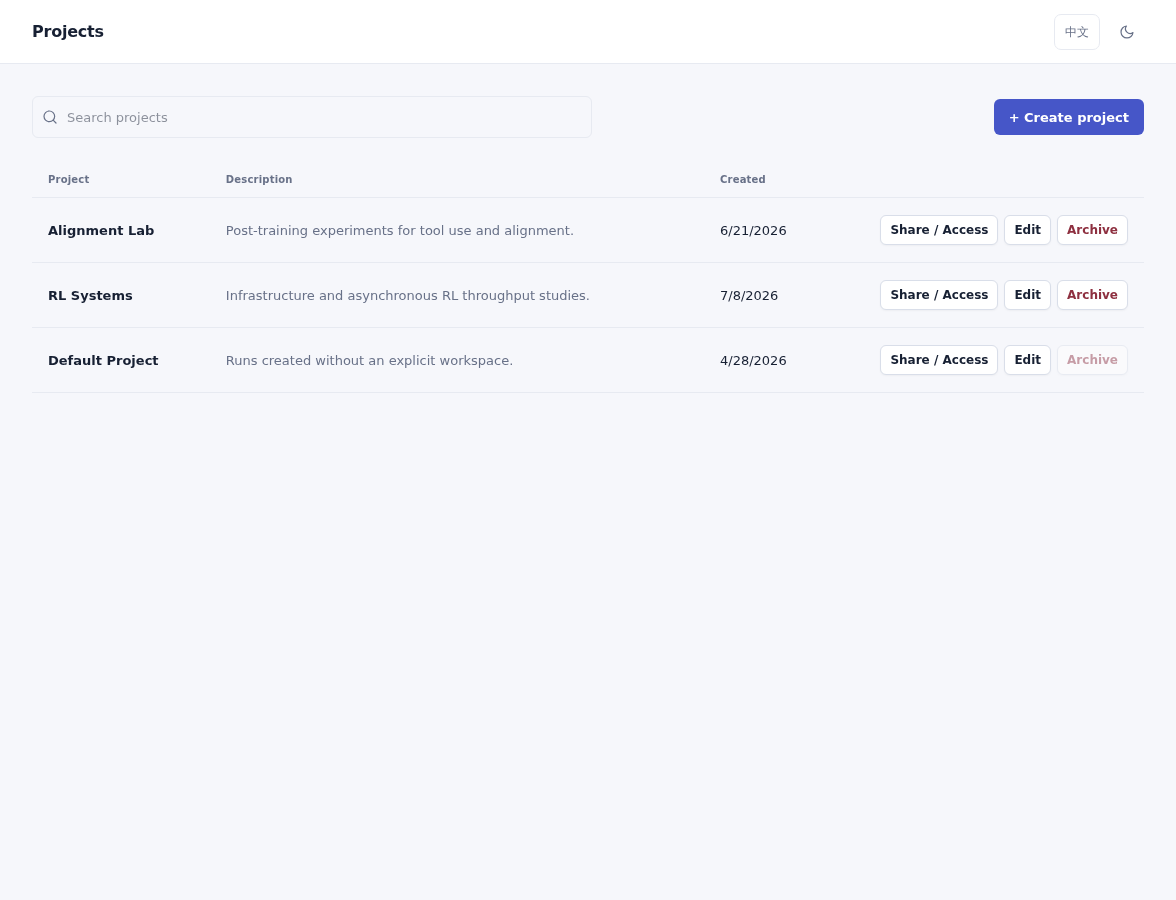
Create Projects for separate experiment groups, then manage sharing from the same list.
Archiving a non-default Project removes it from normal use without deleting its existing Sessions, Checkpoints, or usage. The default Project cannot be archived.
Choose an Organization and Project in the SDK
Pass the Organization and Project when creating ServiceClient:
from weaver import ServiceClient


with ServiceClient(
    organization="research",
    project="alignment",
    name="Math RL baseline",
) as client:
training_client = client.create_model(base_model="<supported-model>")organization and project accept an ID, slug, or display name. For automation, IDs are the least ambiguous choice.
To discover the Organizations and Projects available to you:
weaver organizations list
weaver projects list --organization researchYou can also set defaults for a script or shell session:
export WEAVER_ORGANIZATION=research
export WEAVER_PROJECT=alignmentExplicit ServiceClient arguments are easier to review in shared training scripts. Organization and Project discovery by name requires nex-weaver 1.10 or newer.