
Core Concepts
Weaver separates who owns work, who can access it, and what happened during training. The main relationship is:
Organization
├─ Members and Teams
└─ Project
   └─ Session
      ├─ Training Run
      │  └─ Checkpoints
└─ Training and sampling operations and metricsOrganization, Team, and Project
| Concept | Think of it as | What it controls |
|---|---|---|
| Organization | Your company or research group | Membership, quota, and billing boundary |
| Team | A reusable group of organization members | Access to projects; it does not own training data or usage |
| Project | A workspace for related experiments | Access to Sessions and cost attribution |
The Console switches organizations from the account menu. The project selector on Sessions and Usage & Billing filters the current organization’s data.
What is a Session?
A Session is one SDK workflow and its experiment record. Creating a ServiceClient creates a Session; passing an existing session_id resumes that Session.
A Session groups everything produced by that workflow:
- one or more Training Runs;
- training and sampling activity;
- system and user-reported metrics; and
- the organization and project used for access and usage attribution.
A Session is not a GPU instance or a single API request. When your code finishes, the Session and its history remain visible in the Console.
Use one Session for work you want to inspect and compare as one experiment. With nex-weaver 1.11 or newer, give new Sessions a clear name and searchable string labels; otherwise the Console displays the Session ID.
The Sessions page searches names and IDs, filters by one or more exact labels, and can pin up to six Sessions for metric comparison. Names and labels make these views useful without changing training behavior.
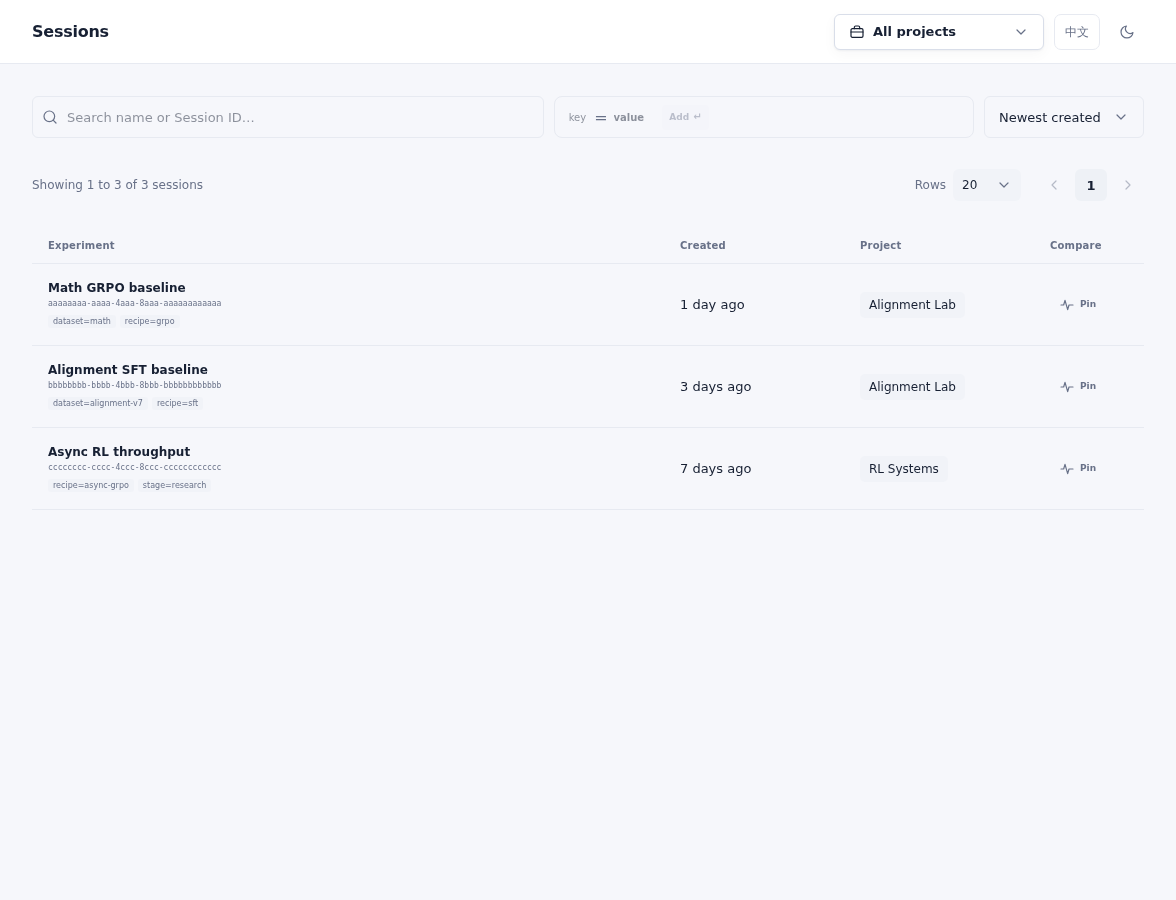
Search by name or ID, filter by labels and Project, or pin Sessions for metric comparison.
Training Runs, Operations, and Checkpoints
A Training Run is the model-backed record created by create_model() inside a Session. It is not a separate job that you submit in the Console. One Session can contain multiple Training Runs—for example, two model variants evaluated by the same script. In the current Console, open a Session and select one of its runs to inspect model details and Checkpoints.
An Operation is an individual action such as forward/backward, optimizer step, weight sync, or sampling. Operations produce status, latency, token usage, and metrics; you normally manage them through SDK calls rather than as standalone Console resources.
A Checkpoint is saved state from a Training Run. Use it to resume training or preserve sampler-ready weights. It remains part of the training history until it is deleted or its configured TTL expires; it is not the same as a temporary sampler weight export.
Other Console Terms
| Term | Meaning |
|---|---|
| Supported Model | A base model currently available for new Training Runs, with its context limit and public pricing—not a Training Run itself |
| Usage | Metered training and sampling tokens, attributed to an Organization and Project |
| Quota | The current user's approved spending balance inside an Organization |
| API Key | A credential that acts as its user; it does not create separate access permissions |
A Typical Flow
- Select an organization and project.
- Create a
ServiceClient; Weaver creates a Session. - Call
create_model(); Weaver creates a trainable model and records its Training Run inside that Session. - Train, sample, and report metrics; Weaver records Operations and usage.
- Save Checkpoints when you need durable recovery points.
- Use the Console to inspect or compare Sessions, open a run from its Session when needed, and review project usage.
For access management, see Organizations, Teams, and Projects. For SDK details, see Training and Sampling. For metering, see Usage, Billing, and Quota.